Lost & found
Lost, then found.
The Alerts tab shows lost, found and rescue reports near you, with photos and when and roughly where each pet was last seen. Post a report in a minute, and people nearby can reach you in the app.
- Lost, Found and Rescue
- Photos and last-seen time
- Approximate area, never your address
- Contact in the app
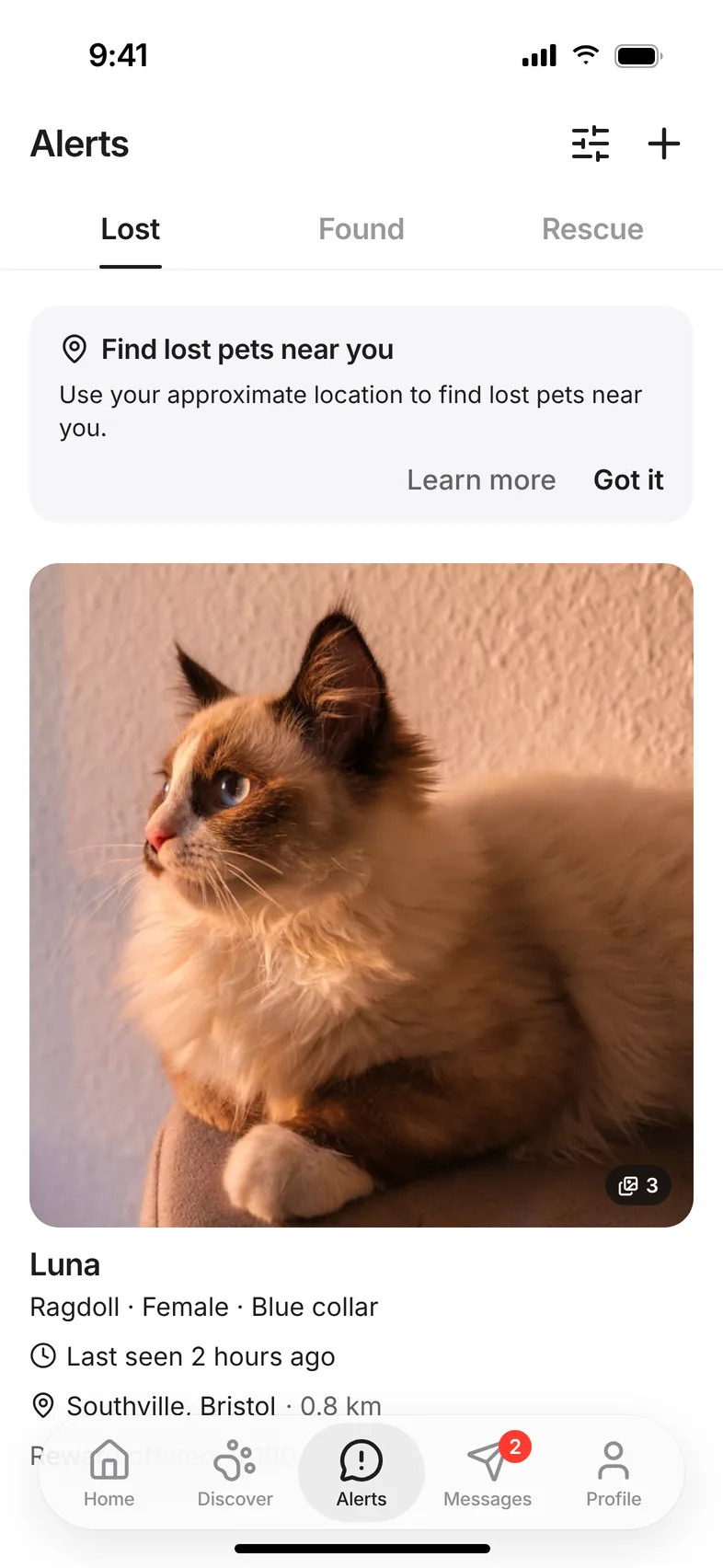
How it works
Every neighbour, a pair of eyes.
Post a report
Add photos, their name and breed, when and where they were last seen, and a reward if you want to offer one.
Seen nearby
Your report appears in the Alerts tab for people around the area where your pet went missing.
Hear from neighbours
Anyone who has seen your pet can get in touch with you in the app.
Found a pet?
Post them in Found, or in Rescue if an animal needs help, so their family can find them.
In the app
See it in the app.
A short walkthrough of the real app. It plays by itself; tap a step to jump to it.
Step 1 of 3 · Start on Alerts
Tap Alerts
3 steps · 0:50
Read every step as text
Start on Alerts (Alerts tab)
- Tap Alerts
- Lost, Found and Rescue
- Approximate area. Where the pet was last seen, never an exact address.
- Reward. If the owner offered one. Hushku doesn’t handle payment.
- Tap +
Report a lost pet (Alerts tab › +)
- Whose pet?. Your pet, or a pet you’re helping: a stray or a rescue.
- Photos
- Colour or markings
- Last seen. Roughly where and when. Choose Not sure if you don’t know.
- Offer a reward. Optional.
- Post. People nearby see it in Alerts and get a lost pet alert.
Seen a lost pet? Get in touch (Alerts tab › A report › Get in touch)
- Tap Alerts
- Tap a report
- Tap Get in touch
- Say what it’s about. I found them, I saw them, or I have information.
- Continue to chat. Opens a chat with the person who posted.
2 more screens in the full guide.
Read the full step-by-step guideQuestions.
Can I report a lost pet on the website?
Not yet. Reports are posted and seen in the Hushku app for iPhone and Android, coming soon to the App Store and Google Play. Until then, contact local shelters, vets and microchip databases straight away.
Does my report show my address?
No. Reports show an approximate area, never the exact spot or your home address.
What’s the difference between Lost, Found and Rescue?
Lost is for your own missing pet. Found is for a pet you’ve found or seen. Rescue is for an animal that needs help.
Is it free?
Yes. Posting and viewing reports is free.
What should I do in the first hour?
Search close to home and call their name calmly, tell neighbours, contact local shelters and vets, and check the microchip details are up to date.
