Help center
Care Team
Share your pet’s day with the people who help look after them. Everyone sees the same checklist, records and reminders, with who did what.
Hushku is an app for iPhone and Android, coming soon to the App Store and Google Play. These steps are for the app.
Start the interactive walkthroughInteractive walkthrough
See each screen.
7 screens, starting from the tab bar. Tap a number to see what it does. Dark numbers open the next screen, just like in the app.
Screen 1 of 7
Start on Home
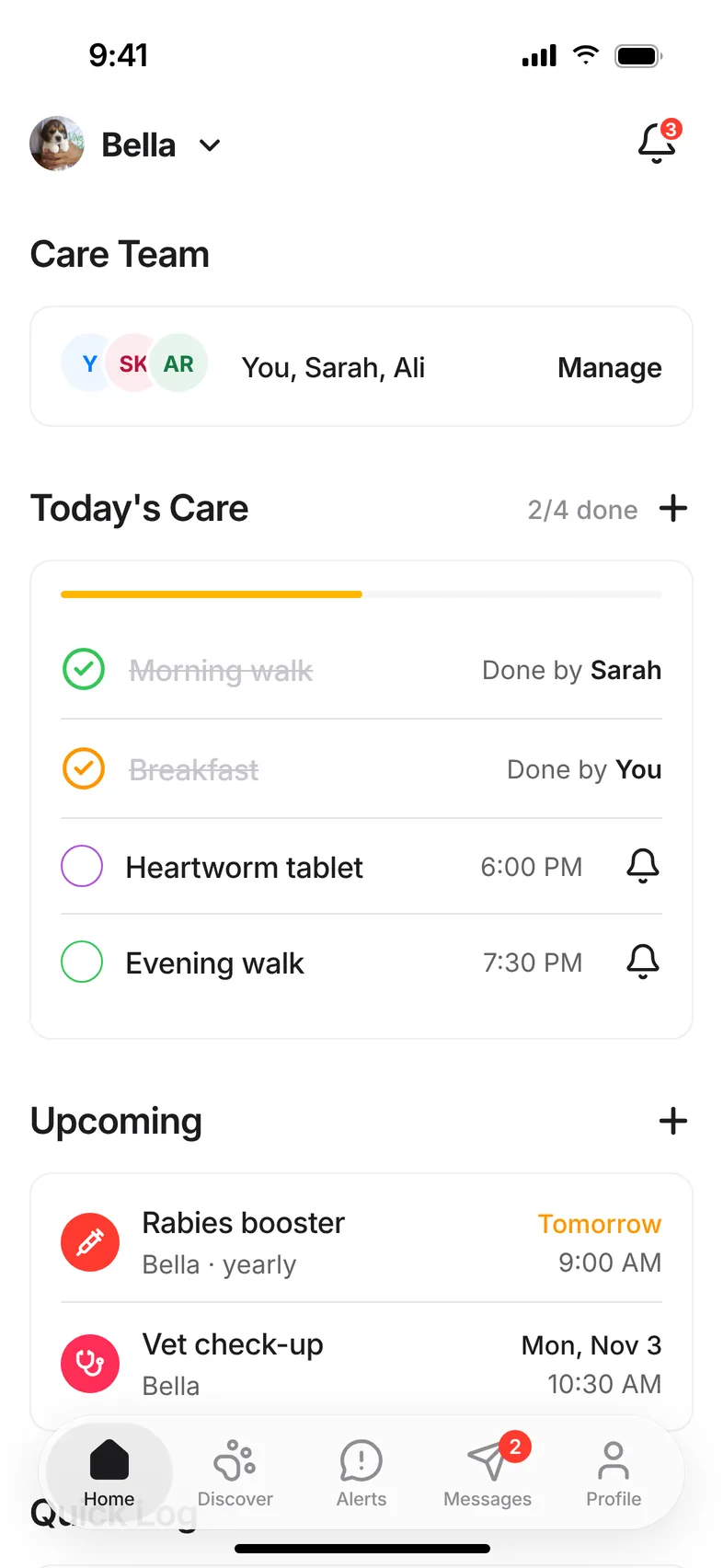
Care Team lives on the Home tab. Everyone on the team sees this same screen for the pet.
Invite someone
Only the pet’s owner can invite people. The person you invite needs a Hushku account.
- 1On Home, tap Manage next to Care Team.
- 2Tap the + at the top right.
- 3Search by username or email and choose the person.
- 4Choose a role: Caregiver or Viewer.
- 5Tap Send Invite. They’ll get a notification to accept or decline.
Roles
- Owner: manages the pet and the team, and can invite, cancel or remove people.
- Caregiver: can help manage the pet’s care, such as ticking off tasks, logging care and adding records.
- Viewer: can see the pet’s care but not change it.
Accept an invite
- 1Open Notifications from the bell on Home.
- 2Find the invite, for example “Jess invited you to help care for Pepper.”
- 3Tap Accept. The pet now appears in your pet switcher at the top of Home.
Care together
Tick off tasks in Today’s Care and use Quick Log for meals, water, walks and potty breaks. Each task shows who did it, and changes appear on everyone’s phone straight away.
Remind someone about a task
- 1On Home, tap the bell next to a task in Today’s Care.
- 2Choose who to remind.
- 3Tap Send reminder. They get a push notification, and the bell gives a little shake to confirm.
Remove someone or cancel an invite
Open Care Team from Home. As the owner, tap Remove next to a member, or Cancel next to a pending invite.
Each pet has its own care team. Adding someone to your dog’s team doesn’t give them access to your other pets.
Notifications
Care reminders and Care team notifications each have their own switch in Settings, under Notifications.
Questions.
Does it cost anything to add people?
No. Hushku is free, and so is adding people to a care team.
Can a caregiver invite other people?
No. Only the owner can invite, cancel invites or remove members.
Can I be on more than one care team?
Yes. Every pet you help with appears in your pet switcher on Home.
Other help topics
Still stuck? Email hello@hushku.app and a real person will reply.
