Playdates
Meet their match.
Hushku shows you dogs and cats nearby who are looking for a playdate or a walk buddy. Send an invite from their profile. When the owner says yes, a chat opens.
- Pets near you
- Distance, species and purpose filters
- Playdate and walk invites
- Chat once accepted
How it works
Nearby, and by invitation.
See who’s nearby
Discover shows pets in your area with how far away they are, their breed, age and personality traits.
Filter what you see
Choose a distance, dogs or cats, and what owners are looking for: a walk, a playdate, mating or adoption.
Send an invite
From a pet’s profile, send a playdate or walk invite. You can cancel it until the owner answers.
Plan it in chat
When the owner accepts, a private chat opens so you can agree on a time and a place.
In the app
See it in the app.
A short walkthrough of the real app. It plays by itself; tap a step to jump to it.
Step 1 of 3 · Start on Discover
Tap Discover
3 steps · 0:45
Read every step as text
Start on Discover (Discover tab › Pets)
- Tap Discover
- Pets, Adopt, Foster, Shelters. Stay on Pets for playdates and walks.
- What they’re looking for. Walk, playdate, mating or adoption.
- Roughly how far. A general area and distance, never an address.
- Search. Find pets and people by name.
- Tap Filters. Narrow what you see.
Filter what you see (Discover tab › Filters)
- Looking for. Walk, playdate, mating or adoption.
- Location. Where you are, or search a city or area.
- Distance
- Dogs or cats
- Breed
- Tap Show results. Then tap a pet to open its profile.
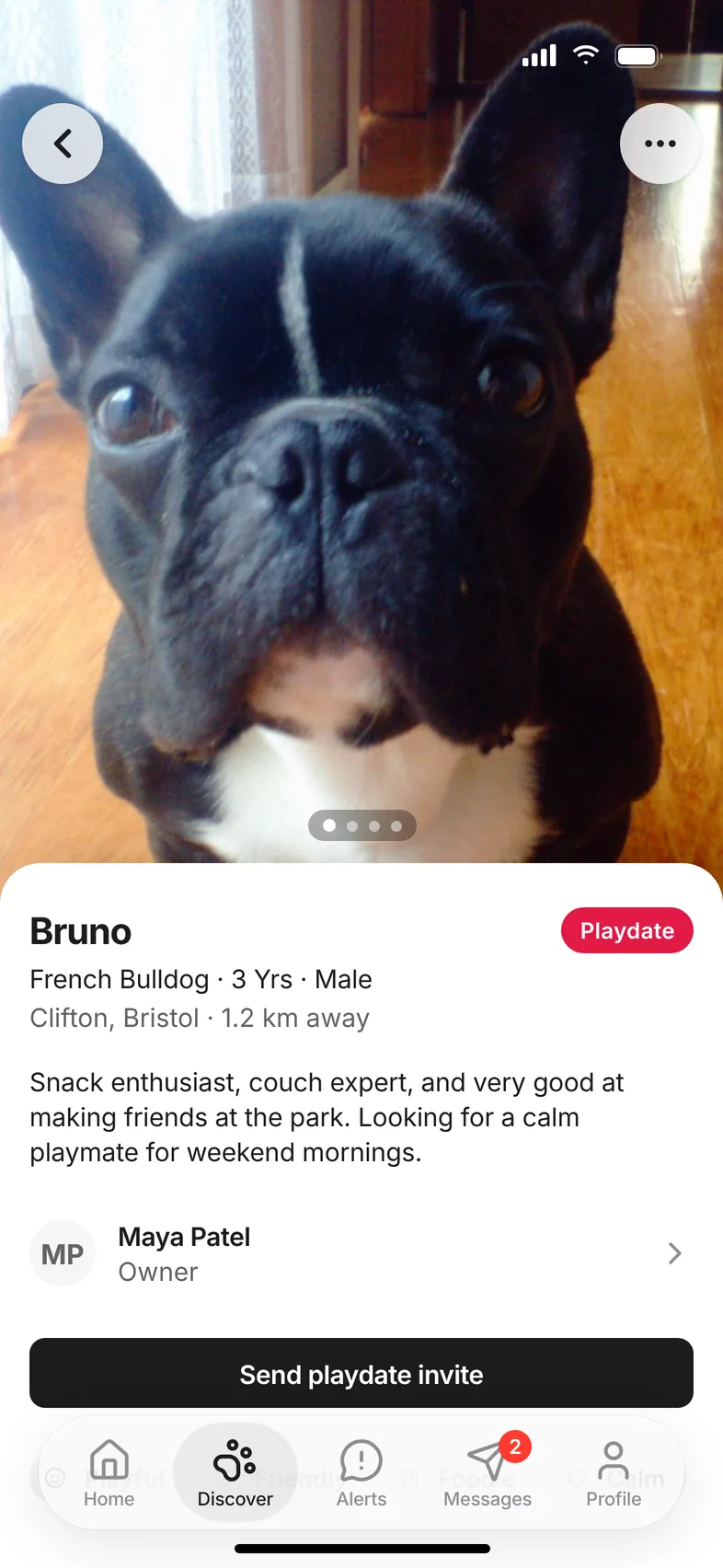
A pet’s profile (Discover tab › Tap a pet)
- Where they are. General area and distance.
- The owner. Tap to see their profile.
- Personality
3 more screens in the full guide.
Read the full step-by-step guideIn the app
From profile to park.
Make your pet’s profile
Photos, breed, age, a short bio, up to five traits and what you’re looking for.
Find a good match
Browse nearby pets, read their profile and check the owner before you invite.
Meet somewhere public
Agree the details in chat, start on lead and keep the first meeting short.
Questions.
Can I find playdates on the website?
No. Playdates happen in the Hushku app for iPhone and Android. The app is built and coming soon to the App Store and Google Play; join the waitlist and we’ll email you on launch day.
Is Hushku free?
Yes. Hushku is free, with no subscription.
Does it work for cats?
Yes. Cats have profiles just like dogs, and you can set Discover to show only cats.
Can other people see where I live?
No. Other owners see your general area and an approximate distance, never your address. Locations are rounded to about a kilometre.
What if someone makes me uncomfortable?
Block or report them from their profile or your chat. People you block can’t message you or see your pets.
How do I keep a first meeting relaxed?
Meet on neutral ground, keep both pets on lead at first, watch their body language and end on a good note. Short and positive beats long and tiring.
