Can I add multiple pets?
Short answer
Yes. Add as many dogs and cats as you like from your Profile, then switch between them at the top of Home.
Each pet has its own reminders, records, weight, care team and listings. Pets you help look after on someone else’s care team appear in the same switcher, marked Caregiver or Viewer.
Step by step
- 1Open the Profile tab.
- 2Under Pets, tap Add Pet.
- 3Add photos, name, type, breed, age and what you’re looking for, then save.
- 4On Home, tap your pet’s name at the top to switch pets.
Interactive demo
See it in the app.
4 screens. Tap a number to see what it does. Dark numbers open the next screen.
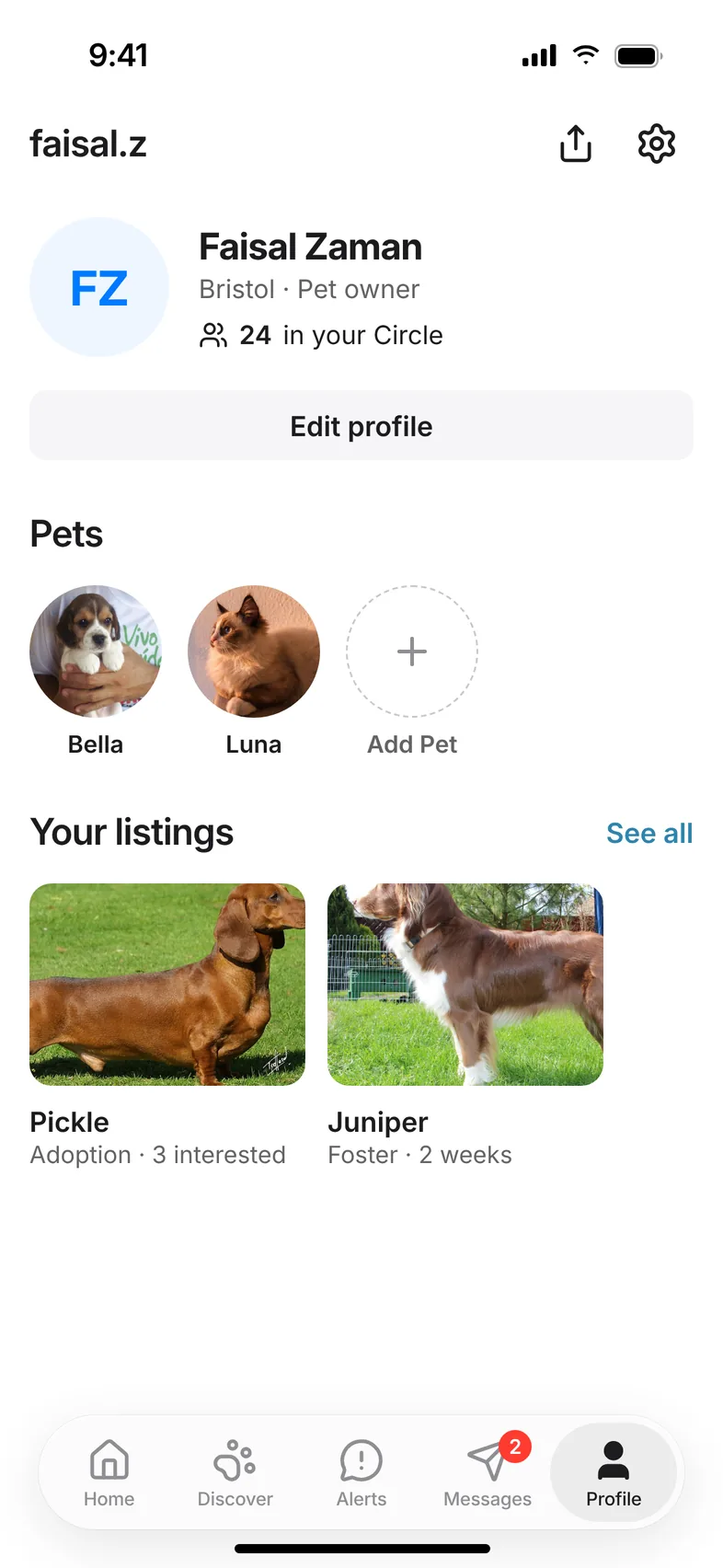
Screen 1 of 4
Add a pet from your profile
Related questions
Still stuck? Email hello@hushku.app and a real person will reply.
